Background
It's pretty straightforward, I'd get a little popup that says:
Application popup: svchost.exe - Application Error : The instruction
at "0x00000033" referenced memory at "0x00000033".
The memory could not be "read".
Click on OK to terminate the program
Click on CANCEL to debug the program
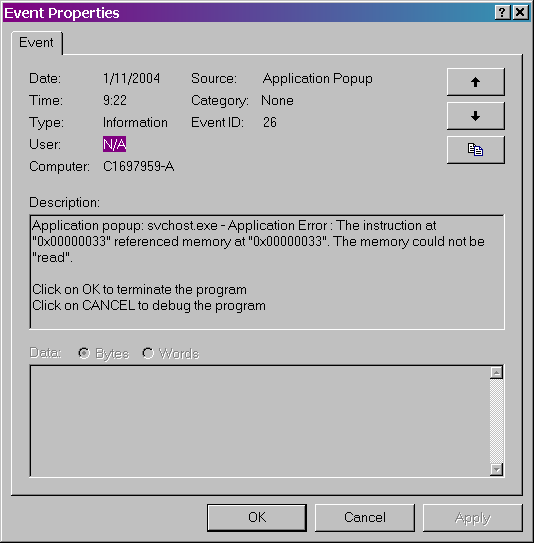
The actual address values change of course, but the message was always the same. An "Information" entry
was logged in the
Event Viewer (
screenshot), which makes me wonder what constitutes an "Error".
Things that cause this file to crash:
1. Starting Internet Explorer
2. Reading HTML email in Outlook 2000
3. Right-clicking on the desktop
4. Clicking on a hyperlink in Internet Explorer
It's probably worth noting that I usually use Mozilla for web browsing and
it never has this problem. If you're viewing this page in IE (which according
to my stats about 70% of you are) I urge you to save whatever you're
working on before your system crashes.
Once the crash occurs, I'll experience some or all of the following:
1. Start menu will not function.
2. System tray will not function.
3. Outlook.exe process will continue running after the application has been closed.
4. Internet Explorer will start but not be able to load a page or close.
5. Windows will not log off or shut down.
6. Any open instances of explorer will hang.
The only thing I could do at this point is hit the reset button.
After "upgrading" to IE6 SP1 the problem became worse,
much worse. This used to happen about once every two weeks, after "upgrading" it
happened once a day. How a problem with your web
browser can cause the entire OS to become unstable is beyond me.. but I've
been wondering that since IE4.
This seems like as good a place as any to describe my system:
Operating System: Windows 2000 Professional SP4
Processor: Intel Celeron 700 MHz
RAM: 512 MB
Video: NVIDIA GeForce2 MX
Sound: Sound Blaster Live!
Networking: Linksys 802.11g wireless network card
Notable applications installed:
Internet Explorer 6 SP1
Microsoft Outlook 2000 SP1
Microsoft Visual Studio 6 SP5
Java 2 SDK 1.4.2
Every search I do on "svchost crash", "svchost
application error" and so on returns virtually nothing but links to
articles about the
blaster virus. I know this virus infected a ton of
Windows 2000 systems and one of the primary signs of infection is svchost
crashing. However, I have never had this virus. Why am I so sure of
this?
1. I have a hardware firewall built into my router.
2. I run a software firewall (BlackIce) which is updated daily.
3. I run a virus scanner (PC-cillin) which is updated daily.
4. I regularly run Windows
update.
5. I manually checked my hard drive for the
blaster virus and all known variants, nothing found.
6. I manually checked my registry for all entries created by the
blaster virus and all known variants, nothing found.
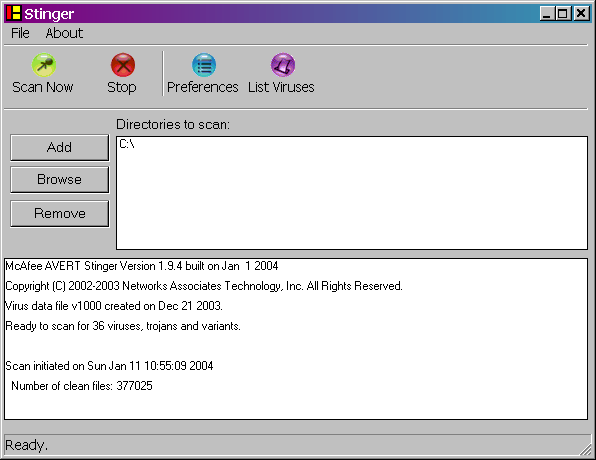
7. I downloaded
Stinger from Network Associates just to have another scan, nothing
found (
screenshot).
8. I was occasionally experiencing this problem before the
blaster virus even existed.
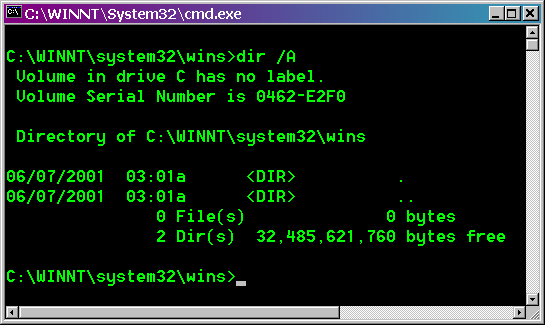
9. The
blaster virus creates files in the
c:\winnt\system32\wins\
directory, nothing there on my computer (
screenshot).
If you look at the screenshot you'll see the directory was created
6/7/2001, when I initially installed Windows 2000.. 2 full years before
the
blaster virus existed.
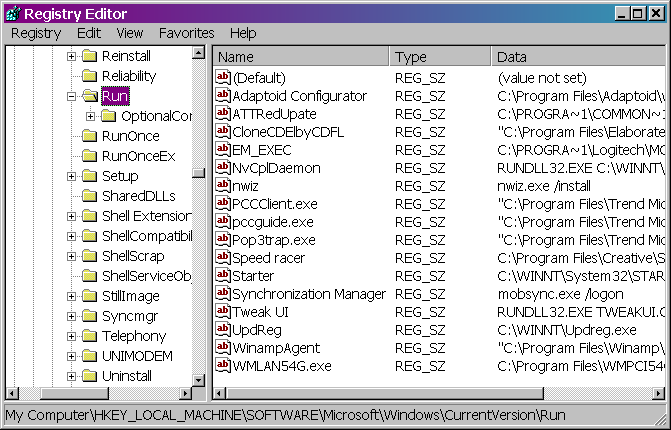
10. The blaster virus creates a registry key under
HKEY_LOCAL_MACHINE\SOFTWARE\Microsoft\Windows\CurrentVersion\Run\windows,
I do not have that registry entry or anything even close to it (
screenshot).
I am 100% certain I have never had the
blaster virus. However, I'm also 100% confident someone will see this page and send me an email saying "
Hey
d00d, you're infected with the blaster virus". If you do this, be
prepared to thoroughly explain why you believe I have this virus or I will
be forced to mockingly reply.
svchost is process that runs other services. Rather than spend a lot
of time writing my own description I'll just point to
Microsoft
knowledge base article 250320 which does a decent job describing this
file. I'm running version 5.0.2134.1 which I suspect everyone with Windows
2000 SP4 is. According to my search
with Microsoft, this is the newest version available for Windows 2000.
While searching for svchost fixes I also found a couple of
usenet posting saying that this file can crash because of Spyware. Spyware
is a fairly generic term and I'll admit that I don't always know what it
means. When I first starting researching this problem (in spring 2003,
before the blaster virus even existed) most of what I found was about
Spyware. I did a thorough search and all I could find was something called
C-DILLA. I had no idea what this was or where it came from. I tried to
uninstall it but it was tough. I ended up having to go into the registry and manually
remove all references to it.
After some more poking around I found that this
C-DILLA
program was installed by Turbo Tax.
Intuit even issued an
apology. Guess
what, I ain't buying Turbo Tax again and I'd advise you to do the same.
Anyway, killing off this program didn't fix a thing so today I tried a
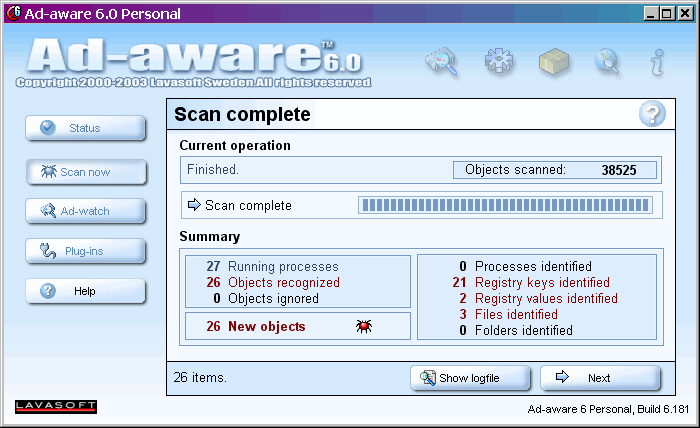
program called
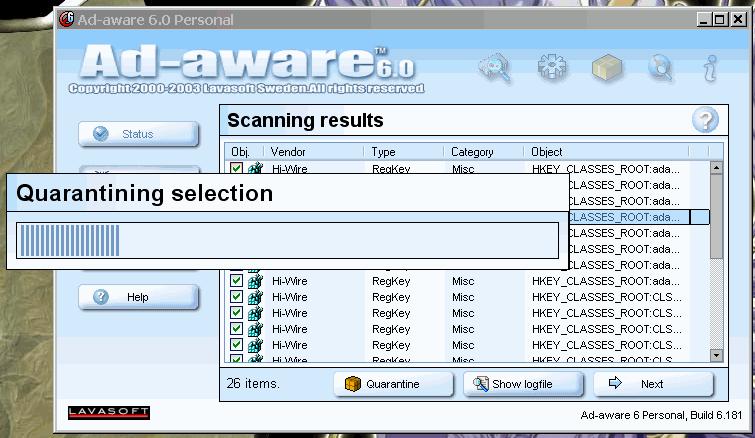
Ad-aware. It found a bunch of stuff it considers to be
Spyware (
screenshot). However, I'm skeptical to let it start removing registry keys and
stuff so I'm going to research everything it found and then remove it
myself.
Here's some of what
Ad-aware
found that it doesn't like:
Hi-Wire Object recognized!
Type : RegKey
Data :
Rootkey : HKEY_CLASSES_ROOT
Object : adagent.advertisementagent
Alexa Object recognized!
Type : RegKey
Data :
Rootkey : HKEY_LOCAL_MACHINE
Object : SOFTWARE\Microsoft\Internet Explorer\Extensions\{c95fe080-8f5d-11d2-a20b-00aa003c157a}
Windows Object recognized!
Type : RegData
Data :
Rootkey : HKEY_USERS
Object : .DEFAULT\Software\Microsoft\MediaPlayer\Player\Settings
Value : Client ID
Data :
There were about 20 of those "Hi-Wire" entries, 1 "Alexa"
entry, and a pair of Media Player entries. Hi-Wire is a free media player
that some radio stations require you to install. I have installed this
and don't know why it's considered Spyware.
Ad-aware
has a "quarantine" feature I decided to try.. it froze up
the first time I tried (
screenshot)
but worked fine the second.
Alright, so exactly 7 days after removing all the Spyware I got another
svchost.exe crash. Of course over these 7 days I avoided using IE as much
as possible. So I guess this wasn't the problem. On to something
else..
So cutting back on using IE6 and logging off once a day helped but didn't
cure the problem. Instead of getting a daily svchost crash I was getting a
weekly one.
On my last crash I decided to hit "Cancel" instead of
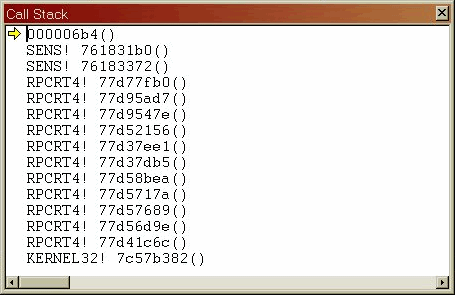
"OK" to fire up the Visual Studio debugger to see what happened.
I looked at the call stack (
screenshot)
and saw that the process that actually generated the error was something
called "SENS" (System Event Notification Service). svchost is just a host process to run other
Windows services that reside in a DLLs (see
information
above), svchost isn't what's crashing, just one of the services it hosts.
svchost runs services in "groups" (see
Microsoft
knowledge base article 250320), this SENS process runs in the netsvcs
group with a bunch of other internet services.
It's becoming clearer to me now.. this SENS process crashes and takes
the rest of netsvcs down with it. This is why so many features of Windows
stopped working. Run regedit and look under
 HKEY_LOCAL_MACHINE\SOFTWARE\Microsoft\Windows
      NT\CurrentVersion\Svchost
to see everything that's grouped into netsvcs.
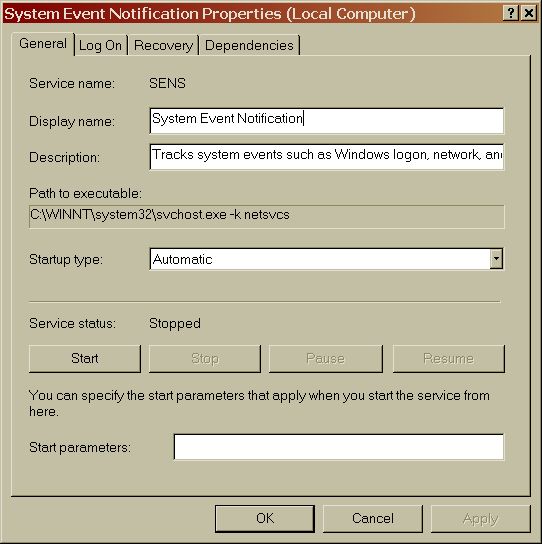
So what the heck is SENS anyway? To quote Microsoft it "Tracks system events such as Windows logon, network, and power events. Notifies COM+ Event System subscribers of these events."
(
also see screenshot of the service).
I then checked my event log and eureka! Before every single svchost crash
(and I mean every single one) there was the following event recorded:
Event Type: Information
Event Source: Tcpip
Event Category: None
Event ID: 4201
User: N/A
Description:
The system detected that network adapter Wireless-G PCI Adapter was connected to the network, and has initiated normal operation over the network adapter.
Now, this message appears in the event log maybe a thousand times. For
some reason Windows thinks it's necessary to keep logging that my wireless
network card was connected.
What happens if you stop the SENS service? Well, I just tried it and so
far I can browse the internet, read email, and edit this web page without
any problems. Maybe something really bad will happen from turning this
service off but I doubt it.
Rather than simply wait and see what happens, I decided to check if anyone else
has disabled this service.
Some
guy and
this
other page both say it's OK to disable the SENS service. Being some
guy with some page I'm biased to believe both of them.. but being a cynic
I decided to also try a more "official" source. I checked a
Microsoft
TechNet guide to Windows services and it says:
Disabling this service has the following effects:
- Win32 APIs IsNetworkAlive() and IsDestinationReachable() won't work well. These are mostly used by mobile applications and on portable computers.
- SENS interfaces don't work properly. In particular, SENS' Logon/Logoff notifications will not work.
- Internet Explorer 5.0 or later uses SENS on portable computers to trigger when to go offline or online (the "Work offline" prompt).
- SyncMgr (Mobsync.exe) will not work properly. It depends on connectivity information and Network Connect/Disconnect and Logon/Logoff notifications from SENS.
- COM+ EventSystem will try to notify SENS of some events, but will not be able to.
I'm pretty comfortable with these side effects. One of the two pages I
linked above says that disabling this service might cause AutoUpdate to
stop working, I have that turned off anyway.
Now the big question is: will this work for you? I'm afraid that I have
to answer "maybe". Here's a checklist to see if this could work
for your svchost problems:
- Does this crash typically occur shortly after connecting to/disconnecting from the internet?
- Open your Windows 2000 event log and search for your last few svchost crashes. Were they all immediately preceded by a tcpip message?
- Is your computer a desktop?
- Is your computer free of viruses/worms?
If you answered "yes" to all four then go ahead and try it.
What's the worst that can happen, your computer will crash? If you're
reading this page then it probably already is crashing on a regular basis.
Oh, and one more quick note.. if you disable this service there's a
good chance it will startup next time you log-in,
even if
you set the startup to "manual". You'll have to set the startup
mode to "disabled" to prevent it from starting automatically.
Update: Microsoft has released a non-public hotfix for this
specific issue with the SENS service. Huge thanks go out to Josh Swain for finding this hotfix:
Having analyzed the user dump carefully, we found the
svchost.exe process dump was caused by a known problem in our sens.dll.
Please help download and apply the following hotfix on this server to
solve this problem. The KB article has not been finalized so far.
Package:
-----------------------------------------------------------
KB Article Number(s): 872971
Language: English
Platform: i386
Location:
(https://hotfixv4.microsoft.com/Windows%202000/sp5/Fix116958/2195/free/191819_ENU_i386_zip.exe [Edit: this link is broken now])
Password: z5wLr9
NOTE: Be sure to include all text between '(' and ')' when navigating to this hot fix location!
NOTE: There are two .exe files in the downloaded file
after extraction. The one with the "symbol" character in the
file name is for debugging purposes only. Please do not install it.
Install the other one.
Since this is not public yet you should install at your own risk. If
this link doesn't work I have a mirror of the file
here.
Please try the Microsoft one first though, they have so much more
bandwidth than I do. I'm utterly amazed at how many people have downloaded
the patch from my site. It's not usually a brilliant idea to install
Windows patches you downloaded from some dude's website. How do you know I
didn't create this page as a way to sneak Trojans onto your PC?.
Tags:
Windows
Related