About
A couple years ago I got on something of a video game collecting kick. One constant lamentation is the lack of a (good) way to track what games I own on a mobile phone. Yeah, I can get by with spreadsheets or text files but being a nerd I have to over-engineer another way to do something relatively simple.
My first thought was to create a mobile-optimized web site with a MySQL database on the back-end. Then I started worrying about not being able to access it without a network connection. I also didn't want to bother with user access permissions and all the other stuff that goes along with running something like that.
Instead I decided to try writing a Java mobile (J2ME) application to track my collection. It's something I wanted to play around with for a while and this seemed like as good an excuse as any. I decided to start with a small proof-of-concept instead of biting-off too much and eventually scrapping the idea. I chose the Sega 32X for this project because it has a small library and I can never remember what games I have for it.
A while later I started reading about these fancy new Android phones. It wasn't the phones that intrigued me but rather the development kit. It was free, Java-based, and integrated with Eclipse. So to learn that I went off and ported the Sega 32X collector to it.
Here are the results of these two efforts.
Android Version
Originally this was straight port of the J2ME version and it was extremely unattractive. After a few updates it's now only slightly unattractive but completely functional.
Using

The main page shows all 32X games by default. Hit the drop-down to change the game filter. The little icons there are gray if you don't have a game and colorful if you do. Tap a game to edit whether or not you have it in your collection.

Here's the list of options when you click on the drop-down list. All 32X games displays a list of all 32X games including CD titles. This application only includes US releases because the primary audience is me. If someone asked really nicely or sent me a few bucks I might add international releases. My collection displays a list of all 32X games in your collection. My missing games displays a list of all 32X games you are missing. My missing boxes & instructions is for the obsessive collector.

If you long-press a game you'll see an option to search for it on eBay. The intent here is to be able to quickly see how much a game is going for. There's also the added benefit of earning me a cool nickel if you click through to the eBay mobile site and buy something.

From the menu on the main screen there are options to import and export your collection. These options allow you to copy your collection to another device. On the import screen you can select the name of the export file and the format of the export file. For now there's only one option for the file format. There may be more in the future (maybe even export to a Google Docs spreadsheet). Press the Export button to complete the export. Press the BACK button or Cancel to return to the main menu.

The import screen will show a list of all exported collections found on your device. This screen only scans the root of the SD card and the /Sega 32X Collector/ sub-folder. If you want to import your collection on a new device you need to copy the export file to one of these locations. Select the file you want to import to continue. Press the BACK button to return to the main menu.

You will receive a confirmation dialog when doing an import. This is because an import will overwrite your existing collection and can not be undone. Press No to cancel the import or Yes to continue.
Download
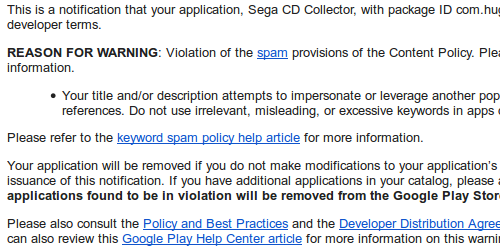
Brief statement on why this application is not available on Google Play
Java Mobile (J2ME) Version
Installation
Please refer to the instructions for your mobile device. I wish I could offer more guidance than that but unfortunately the install process varies from device to device. If you have Java installed on your device there's some way to do it. Oh, JSR 118 support is required but chances are your device supports it and you don't really even know what "JSR 118" means anyway.
The very first time the program runs you may briefly see a message that says something like "Creating record store 32XCollection", unless there's an error message afterwards just ignore it.
Using

From the main menu select what you'd like to view. All 32X games displays a list of all 32X games including CD titles. This application only includes US releases. My 32X collection displays a list of all 32X games in your collection. My missing games displays a list of all 32X games you are missing. Use the checkboxes if you want to display games that you have but are missing the box or instructions. Press the CONTINUE button to view the selected list, EXIT to quit the application.

From the game list select the game you wish to view and press the SELECT button or the center button on your phone. Press the BACK button to return to the main menu.

Use the checkboxes on this page to record whether you have the game in your collection. Press the BACK button to return to the game list, changes will be automatically saved.
Download
Tags: Android Java Software Video game collecting
Related