
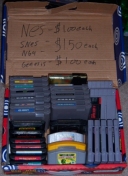
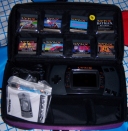
Last year (2006) I decided to start a section called Game Hunter where I'd post pictures of old video games I found at garage sales and thrift stores. Unlike the semi-popular video game scans section, I don't see why anyone would want to bother downloading or linking to these images. I figured the best route to go would be to use a hover image instead of the ol' "click the thumbnail for the full-size image". You know, the effect where the full-size image appears when a visitor hovers over the thumbnail image:

I did a little searching and found a nifty library called Overlib (web archive link) that seemed like it would work. It looked really easy and was something I could even use elsewhere on the site. It didn't support showing an image by itself, but did support background images. No problem, I'd just pass the image to a function and resize the pop-up to the size of the image.
That worked great, but then I hit the following issues in roughly this order:
After some trial and error, I ended up with the following script to make it all work:
<script
  type="text/javascript"
  src="../script/overlib/overlib.js"><!-- overLIB (c) Erik Bosrup -->
</script>

<script language="JavaScript">
var cancelImage=false;
function overlibImage(caption,imagePath)
{
  bgImage=new Image();
  bgImage.src=imagePath;
  if(!bgImage.complete)
  {
    overlib("loading image..");
    cancelImage=false;
    bgImage.onload=function()
    {
      if(!cancelImage)
      {
        var substringpos=bgImage.src.length-imagePath.length;
        if(bgImage.src.substring(substringpos)==imagePath)
        {
          overlib(caption,TEXTCOLOR,'#FFFFFF',BACKGROUND,imagePath,FGCOLOR,'',WIDTH,bgImage.width,HEIGHT,bgImage.height);
        }
      }
    }
  }
  else
  {
    overlib(caption,TEXTCOLOR,'#FFFFFF',BACKGROUND,imagePath,FGCOLOR,'',WIDTH,bgImage.width,HEIGHT,bgImage.height);
  }
}

function overlibMouseout()
{
  cancelImage=true;
  return nd();
}
</script>
..with the following in the body to display the thumbnail image:
<a
 href="javascript:void(0);"
 onmousemove="return overlibImage('title','full-image.jpg');"
 onmouseout="return overlibMouseout();">
  <img
   style='border:1px dashed;'
   src="thumbnail-image.jpg">
</a>
I don't think this is a horrible approach, although I'm sure somebody will send me an email explaining a much simpler way to accomplish the same effect. Until then, I'm satisfied with the results. You're free to use this sample code on your site, no restrictions or whatnot.
More Examples
|
|

|